
While attending a meeting, meeting instructions are available to attendees joining with an Amazon Chime Windows, macOS, or web application.
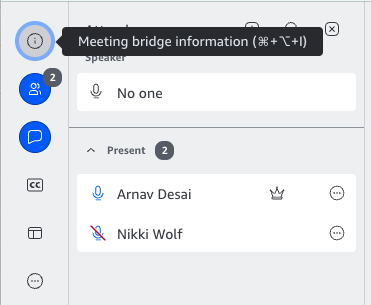
The meeting instructions can be found by clicking on the (i) icon in the upper left of the meeting window.
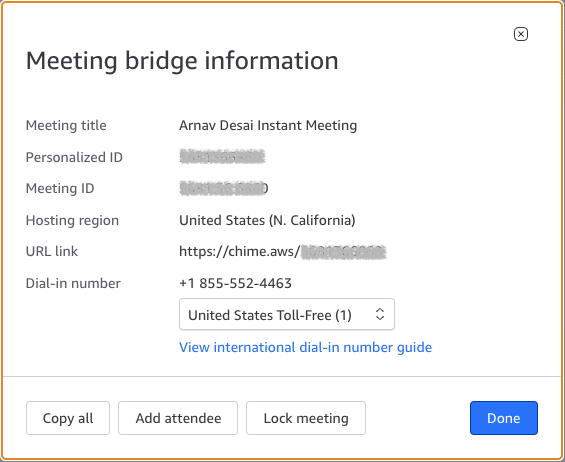
You then have the options copy and paste from the information presented or Copy all so you can email it or text it to a colleague.
Another useful place to get the meeting instructions may be the information sent in your calendar invite.
Meeting instructions include:
- Meeting name
- The join link
- The Meeting ID
- Where the meeting is being hosted
- Dial in information
- A link to the International dial in numbers