
A setting from Chrome may be causing the challenge (even if you do not use the Chrome browser or the Amazon Chime web app.
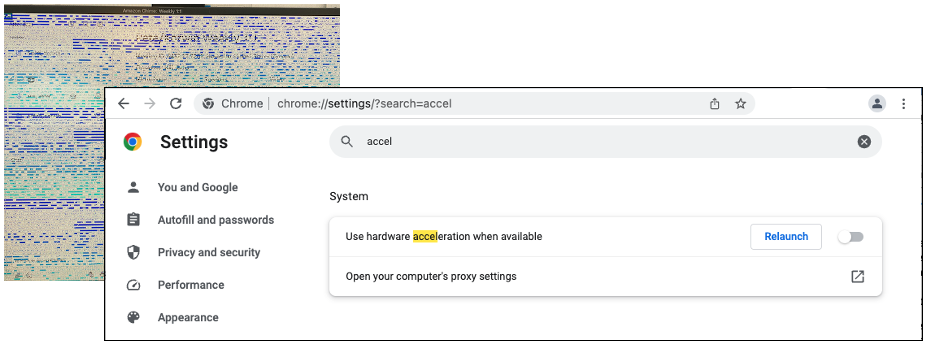
- Quit Amazon Chime
- Open your Chrome browser
- Navigate to chrome://settings
- Type accel in the search and the Use hardware acceleration when available option is displayed. Turn this off
- Click Relaunch to restart the Chrome browser
- Restart Amazon Chime