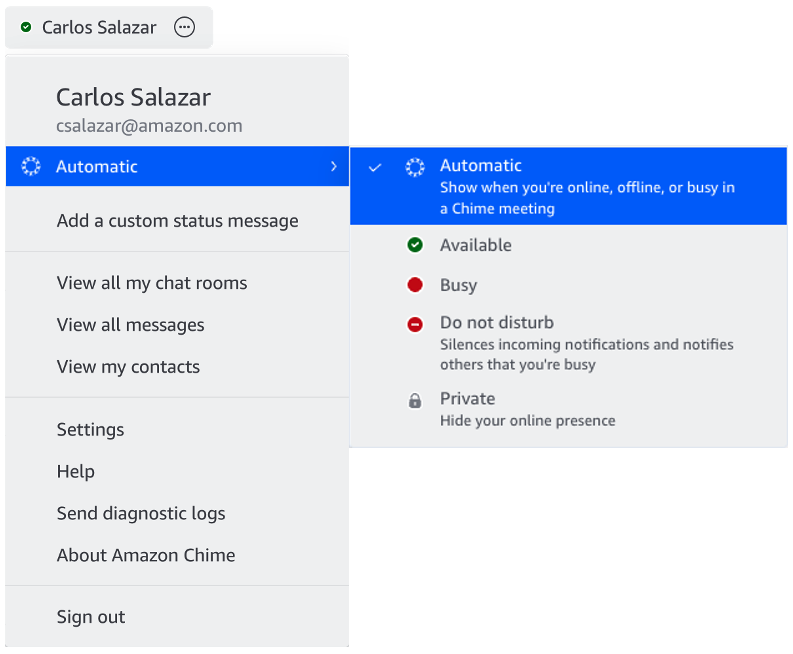
When there is a lock icon next to one of your contact's name it means that they have chosen to not share their presence state with other users.
To no longer share your presence with others, do the following from one of your clients. Change it on one device and the setting will be reflected on all your devices!
Mobile:
- Navigate to the Settings (gear icon) > under Share presence status section choose No one ( your presence will be displayed to others as a Lock).
Desktop:
- Choose the User menu (drop down next to your name in the upper left) select the first options showing your current present status and choose Private.