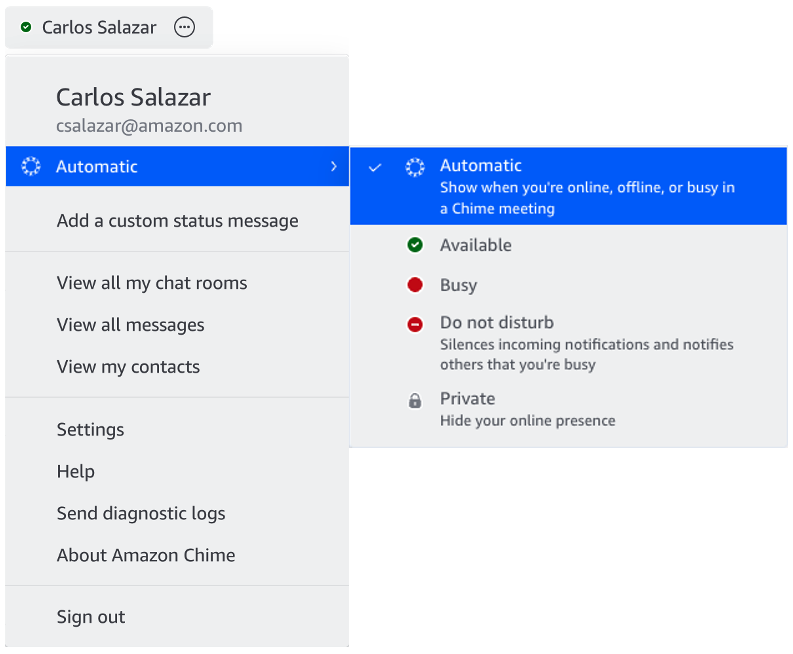
Amazon Chime users can choose to share their presence with Everyone or No one.
Please see https://amazonchime.zendesk.com/hc/en-us/articles/39472916868251-Amazon-Chime-Presence-Indicators for a list of status that are supported.
To change your presence status, do the following from one of your clients. Change it on one device and the setting will be reflected on all your devices!
Mobile:
- Navigate to Settings (gear icon in the upper left) > in the Status section click on the status and choose your desired status.
- You can also set a custom status message and include an emoji for others to view in your 1:1 chats or your contacts.
Desktop:
- Choose the User menu (drop down next to your name in the upper left) and choose one of the other presence indicators (e.g. Automatic)
- You can also set a custom status message and include an emoji for others to view in your 1:1 chats or your contacts.