
Amazon Chime displays content being shared in the Screen Share pane within the meeting window. We display the content based on the aspect ratio of what is being shared, so as not to distort the view, and add grey bars on the sides to fill the pane.
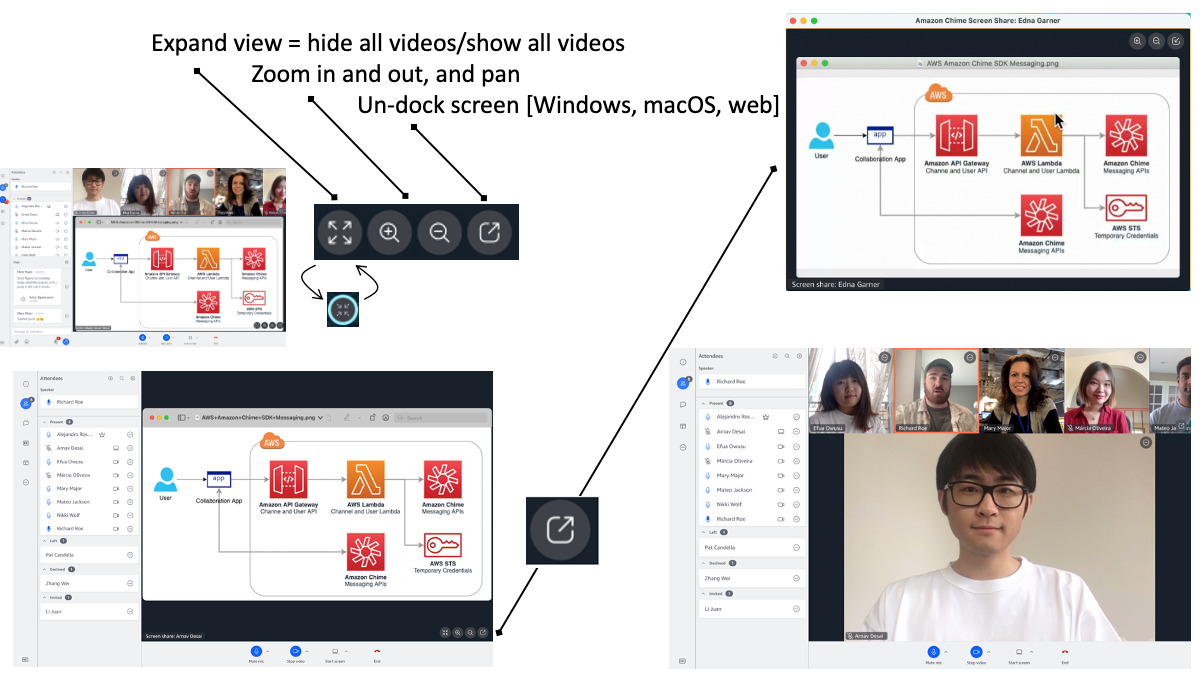
- When someone is sharing their screen, it is automatically featured content
- You can use the zoom in and zoom out controls to magnify the content and use the mouse to pan
- Choose to expand the view to quickly hide all video or show all video
- Undock the screen share and drag it to a new monitor or enlarge it