
If you are not able to hear others on your meeting, even if you were able to listen to music prior to getting on an Amazon Chime meeting, it may be that your Bluetooth device is not switching from stereo to headset mode.
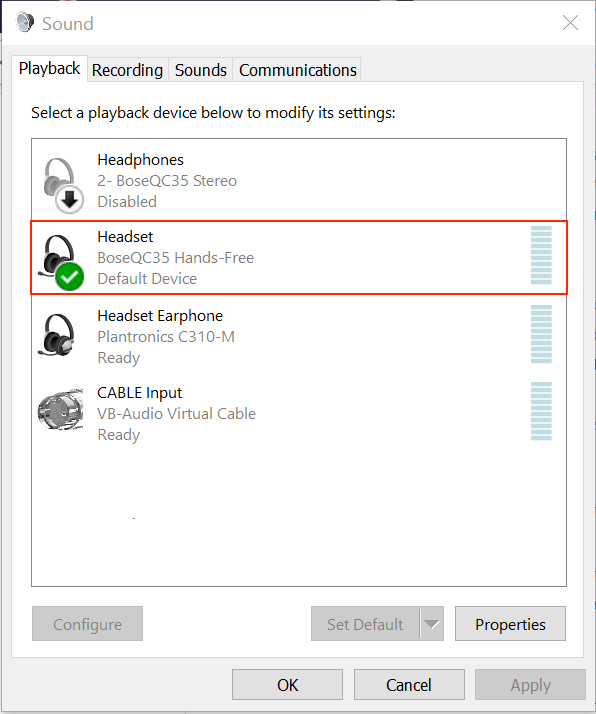
To remedy this, please navigate to the Windows Sound control panel, then choose the Playback tab. Choose the device with the Hands-Free label and set the device to Default Device (note NOT Default Communications Device).
Also note that Bluetooth profiles for Playback and Recording must match while on a call. Please ensure that both are set to Headset and Hands-Free.