
The Amazon Chime visual roster provides information about the status of attendees in the meeting, how they joined, what meeting features they are using, who is talking, and more.
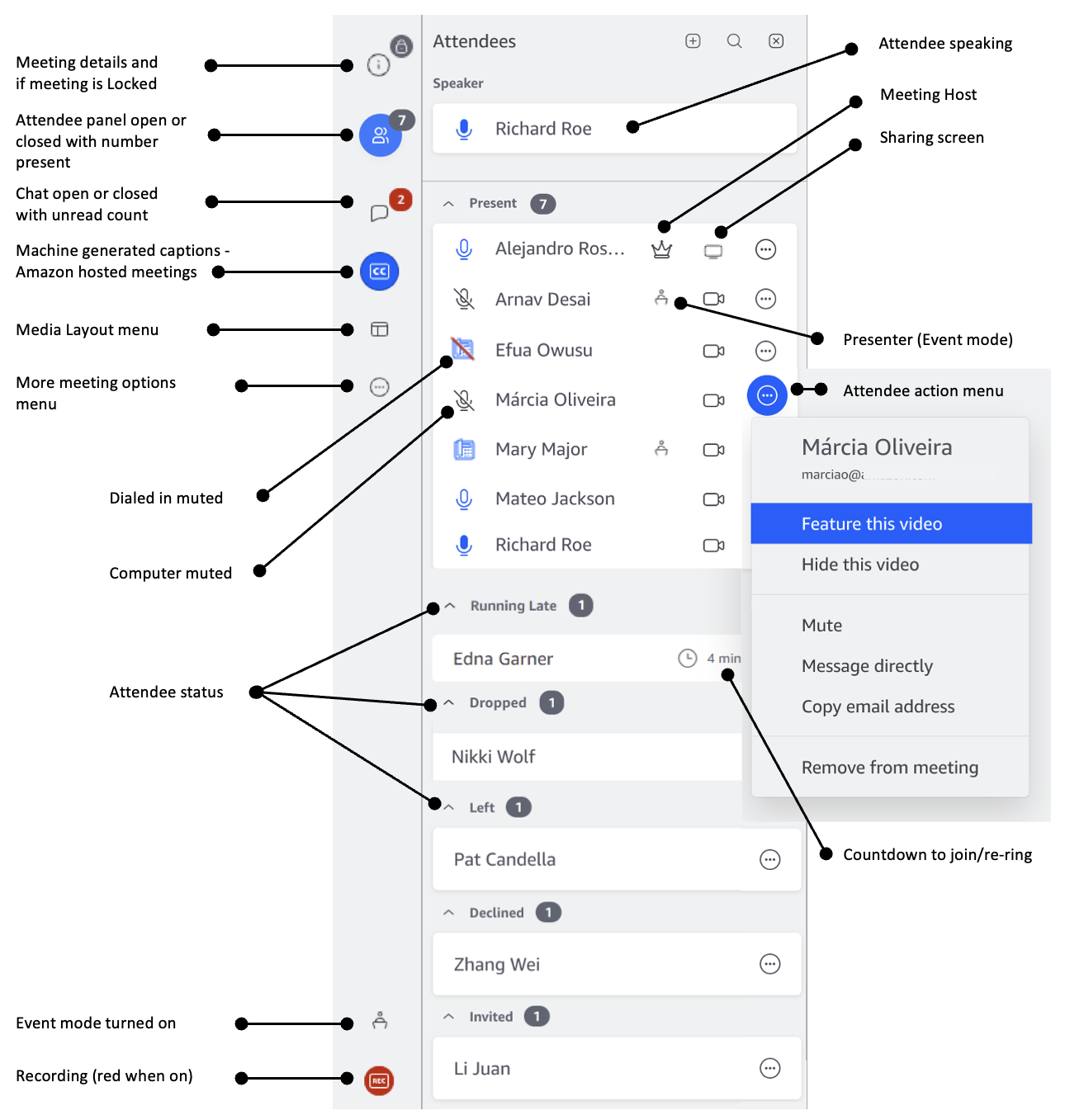
Attendee names:
- Authenticated users (signed into an Amazon Chime application) are listed on the roster with the name they have associated with their Amazon Chime profile.
- User’s names who have entered a name, dialed in, joined from a video conference room, or have joined without signing in are displayed in brackets, e.g. <Zhang> or <+12065551212> or <Everest-11-204>
Attendee status:
- Present - The attendee is in the meeting.
- Running late - The attendee selected Running late on the Join screen. The attendee provided an estimated time to join and the count down is displayed. They will be re-rung when the time expires.
- Dropped - The attendee was present and their connection was disconnected.
- Left - The attendee was attending the meeting and chose to leave.
- Declined - The attendee selected Decline on the Join screen.
- Invited - The attendee has been invited but has not joined yet.
Audio connection type:
- Speaker icon - The attendee is using Computer audio (VoIP).
- Telephone icon - The attendee is dialed-in or is using Call me.
- No audio icon - The attendee joined without their microphone and speaker enabled, and is probably using a different audio source, such as dialed-in, another attendee is in the same conference room.
- Gray audio icon - The attendee is muted.
- Red audio icon - The attendee's connection is weak.
We also display icons indicating:
- The attendee is the host.
- The attendee is sharing their screen.
- The attendee has their video enabled.
- The attendee is a presenter.